



 WhatsApp
 WooCommerce Migration Services





- 5.0 Rating on Clutch, 35 reviews
-
120+ Projects launched
-
90+ PageSpeed score as standard
-
Weekly Demos on a staging site
-
Fixed Scope and price before start
Trusted by clients and partners







Signs your platform is holding you back
-
01
Fees grow with revenue
Transaction fees, paid apps and plan upgrades eat margin as sales grow. On WooCommerce you pay for hosting and the plugins you choose.
-
02
You do not own the stack
Your checkout, data and templates live on someone else's servers and rules. A price rise or policy change leaves you with no exit.
-
03
Customization hits a wall
Custom pricing, B2B rules or an unusual checkout step need workarounds, or are not possible at all.
-
04
The platform is end-of-life
Magento 1, old OpenCart versions and legacy carts get no security updates, and developers for them are hard to find.
-
05
Fear of losing SEO
Your rankings depend on URLs, meta data and internal links. A careless move can drop organic traffic overnight.
-
06
Data looks too messy to move
Variants, custom fields, customer accounts and order history are stored differently on every platform.
Where we migrate from
-
Shopify to WooCommerce
Products, variants, customers, orders and blog posts. We replace paid apps with WooCommerce plugins or custom code and map every /products/ URL.
Learn more -
Magento to WooCommerce
Configurable products, attributes, customer groups and multi-store data from Magento 1 or 2, moved to a store that is easier and cheaper to run.
Learn more -
Wix to WooCommerce
For stores that outgrew Wix. We export the catalog, rebuild pages as editable Gutenberg blocks and keep search traffic with 301 redirects.
Learn more -
BigCommerce to WooCommerce
Catalog, product options, customer data and order history moved over, with integrations reconnected through the WooCommerce REST API.
Learn more -
OpenCart to WooCommerce
Large catalogs with options and filters. We know OpenCart data from the inside: we built the DeWalt Ukraine store with 200,000 spare parts.
Learn more -
Volusion, 3dcart and other carts
Also Zen Cart, CoreCommerce, Cart66 and older platforms. If your store has a database or a full export, we can move it.
Learn more
Stores we've built. Results
they've driven.





Migration price guide
The final price is fixed after a short data audit, before any work starts.
-
Small store
For catalogues up to 1,000 products on a standard theme.
from $1,500 2-4 weeks
- Products, categories, customers, orders
- 301 redirect map for indexed URLs
- Payment and shipping setup
- Test migration on staging
-
Most popular
Growing store
For stores up to 10,000 products with variants, custom fields and a few integrations.
from $3,500 4-6 weeks
- Everything in Small store
- Your design rebuilt on WooCommerce
- Variants, attributes, custom fields
- ERP, CRM or email tool reconnection
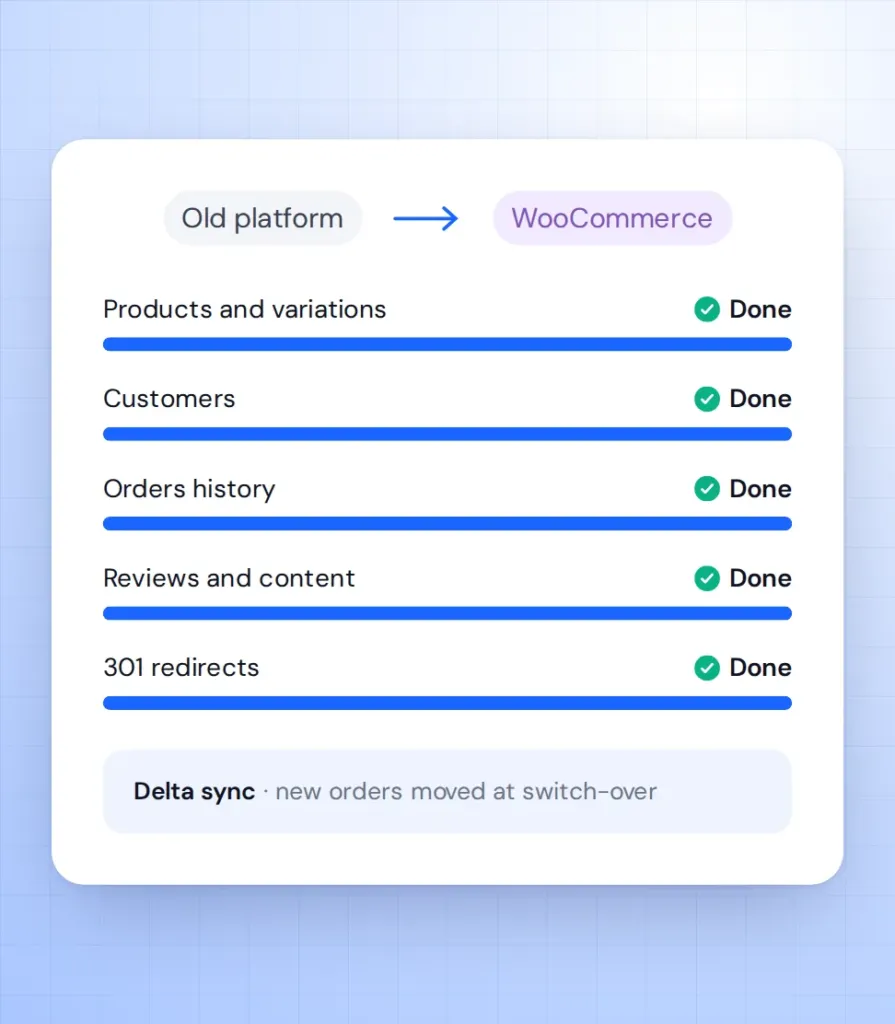
- Final sync of new orders before go-live
-
Large store
For 10,000+ products, B2B rules, multi-store or custom logic.
from $7,000 6-10 weeks
- Everything in Growing store
- 10,000+ products
- Multi-store or multi-language data
- Custom plugin development
- SEO check 30 days after launch
Prices are a guide. You get a fixed quote after a free discovery call.
Shopify vs Magento vs WooCommerce
How the three platforms differ on the points store owners ask about most.
| Shopify | Magento | WooCommerce | |
|---|---|---|---|
| Who owns the code and data | Shopify, you rent access | You | You |
| Extra platform transaction fees | YesWithout Shopify Payments | No | No |
| Licence cost | Monthly plan | Free or paid Adobe Commerce | Free, open source |
| Hosting | Included, no choice | Self-hosted, heavy server needs | Self-hosted, any good host |
| Custom checkout and pricing logic | Limited, mostly through apps | YesCostly development | YesPlugins or custom code |
| Developer cost and availability | Moderate | High, few specialists | Lower, large developer pool |
| Content and blog | Basic | Basic | Full WordPress editor |
| Admin for small teams | Easy | Complex | Easy |
How a migration runs
-
Data audit
We review your catalog, apps, integrations and top URLs, then fix scope and price. 1-2 weeks. -
Store build
WooCommerce, design and plugins set up on a staging site you review in weekly demos. 2-6 weeks. -
Test migration
A full data copy runs on staging. You check products, prices, accounts and orders. About 1 week. -
Switch-over
We move the latest orders, apply 301 redirects and change DNS at a quiet hour. 1-2 days. -
Aftercare
We watch Search Console, 404 logs and orders for the first 30 days, then move to a monthly plan if you want.
What our clients say





Read before you decide
Practical guides from our team. Useful even if you never hire us.
-
Shopify to WooCommerce Migration: Cost, Timeline and Keeping Your SEO
Real costs of moving from Shopify to WooCommerce, from $59 tools to managed projects, plus a URL-by-URL redirect plan so you keep your rankings.
Read the guide -
WooCommerce vs Shopify for B2B: An Honest Comparison From a Woo Agency
Shopify Plus has the most complete B2B out of the box. WooCommerce wins on pricing logic, ownership and cost. A fair comparison with a feature table.
Read the guide
Migration FAQ
Short answers to what store owners ask before they move.
How much do WooCommerce migration services cost?
Most migrations start from $1,500 for a small store and from $3,500 for a mid-size store with custom data. You get a fixed price after a data audit, before work starts.
Will I lose my Google rankings?
Not if redirects and meta data are handled properly. We map every indexed URL to its new address with a 301 redirect and check Search Console after launch.
Can customers keep their passwords?
It depends on the source platform. Some password hashes can be moved; otherwise customers get a secure reset email, and we tell you which case applies during the audit.
Will my store go offline during the migration?
No. Your current store keeps taking orders while we build on staging, and the final switch takes a few hours at a quiet time.
Do you move order history and reviews?
Yes. Orders, customers, reviews, coupons and blog posts are included, along with product images and SEO fields.
Why not just use an automated migration tool?
Tools like Cart2Cart move raw data well, and we sometimes use them as a first step. They do not rebuild design, app features, redirects or integrations, which is where most of the work is.
