



 WhatsApp
 Magento to WooCommerce Migration





- 5.0 Rating on Clutch, 35 reviews
-
120+ Projects launched
-
90+ PageSpeed score as standard
-
Weekly Demos on a staging site
-
Fixed Scope and price before start
Why Magento stores move on
-
01
Magento 1 is out of support
Magento 1 reached end of life in June 2020. It gets no official security patches, and passing PCI checks gets harder every year.
-
02
Magento 2 is a rebuild anyway
Going from Magento 1 to 2 means a new theme, new extensions and a data migration. Many owners ask why not move to a lighter platform instead.
-
03
Heavy hosting bills
Magento 2 needs OpenSearch, Redis, Varnish and a strong server to run well. Mid-size stores pay for infrastructure built for much larger ones.
-
04
Expensive, scarce developers
Magento work needs specialists with high rates. Small changes turn into long tickets and big invoices.
-
05
Upgrades break extensions
Each Magento 2 version update can break third-party modules and custom code. Patch cycles eat the budget meant for growth.
-
06
Paying for unused features
Adobe Commerce is licensed by revenue. Stores that do not use its enterprise features still carry its cost and complexity.
What we migrate from Magento
-
All product types
Simple, configurable, grouped, bundle, virtual and downloadable products are mapped to their WooCommerce equivalents, with tier prices and stock.
-
Attributes and filters
Magento attribute sets become WooCommerce attributes and custom fields. Layered navigation is rebuilt as fast product filters.
-
Customers and passwords
We move password hashes and add a login check that accepts them, so most customers keep their password. Unsupported hash types get a reset email.
-
Store views and languages
Multiple store views, languages and currencies move to a multilingual WordPress setup with separate URLs per language.
Learn more -
URL rewrites and SEO
We export the Magento URL rewrite table, including .html suffixes, and 301-redirect every URL. Meta data, canonicals and reviews move too.
-
Orders, CMS and integrations
Order history, CMS pages, static blocks and ERP or CRM connections. Read how we plan every move on our migration page.
Learn more
Stores we've built. Results
they've driven.






Magento migration pricing
Final price is fixed after a free audit of your store, before any work starts.
-
Small store
For a Magento store with a simple catalog and a standard theme.
from $2,500 2-4 weeks
- Up to 1,000 products
- Customers and order history
- 301 redirects for all URLs
- Magento 1 or 2
- Password hashes moved
-
Most popular
Growing store
For stores with variants, custom fields and a few key integrations.
from $6,000 4-6 weeks
- Up to 20,000 products
- Standard theme adapted to your brand
- Configurable and bundle products
- Layered filters rebuilt
- Tier prices and customer groups
-
Large store
For large catalogs, custom logic and ERP or CRM connections.
from $12,000 6-10 weeks
- 20,000+ products
- ERP or CRM integration
- Multiple store views
- B2B logic rebuilt
- Custom module features rebuilt
Prices are a guide. You get a fixed quote after a free discovery call. A new custom design is priced separately (see the cost calculator).
Magento vs WooCommerce
An honest look at where each platform fits.
| Magento | WooCommerce | |
|---|---|---|
| Hosting needs | Dedicated server stack | Standard PHP hosting |
| Developer rates | High, niche skill set | Lower, large talent pool |
| Version upgrades | Often break modules | Usually small and routine |
| License | Open Source free, Adobe paid | Free and open source |
| Content and blog | Basic CMS pages | Full WordPress CMS |
| B2B features | Built into Adobe Commerce | Plugins or custom code |
| Very large catalogs | Built for it | Works well with tuning |
How the migration works
-
Audit
We review your Magento data, apps and URLs, including custom modules and the URL rewrite table, and agree a fixed scope and price. Takes 2-5 days. -
Test import
We run a full test migration to a staging site so you can check products, customers and orders. Usually done in the first week. -
Build
We rebuild the design and features in WooCommerce with custom Gutenberg blocks, with weekly demos. Takes 2-12 weeks depending on size. -
Launch
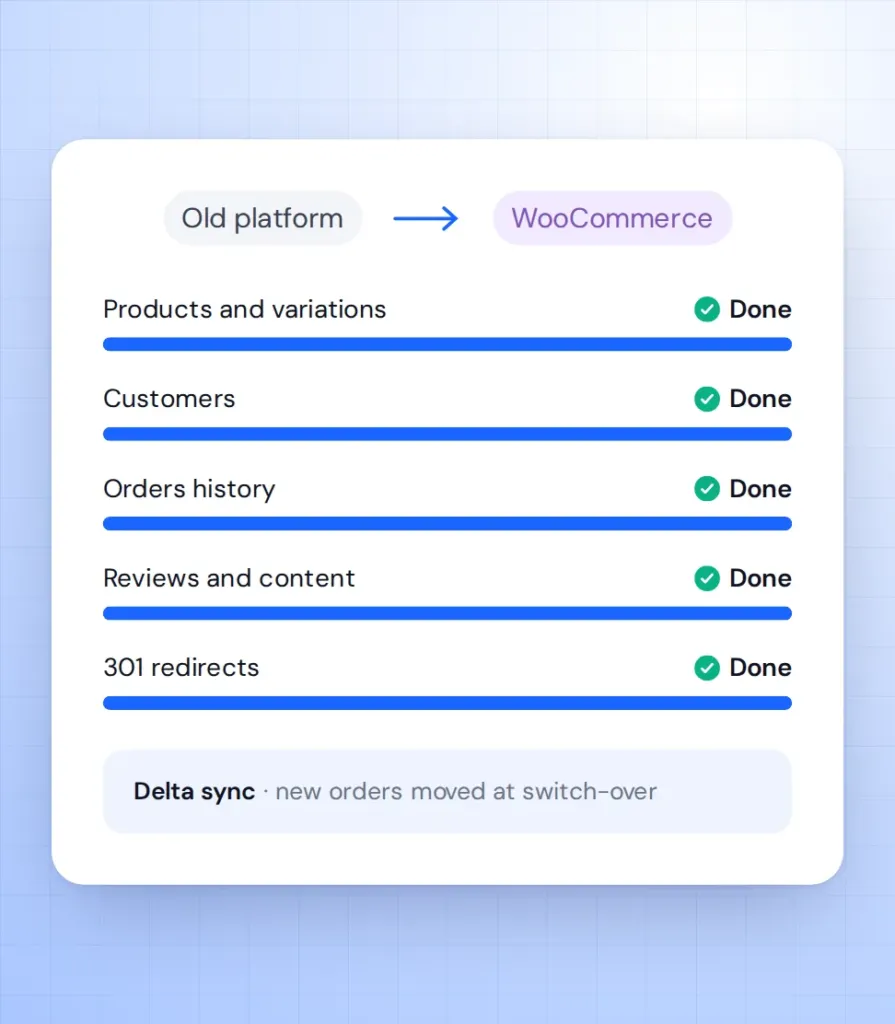
We sync new orders and customers, switch on 301 redirects and move the domain. Magento stays live until the switch, so no orders are lost. -
Support
We watch orders, speed and Search Console in the weeks after launch. Then you can move to a monthly support plan.
What our clients say





Magento migration FAQ
Direct answers for Magento 1 and Magento 2 store owners.
How long does a Magento to WooCommerce migration take?
A small store with up to 1,000 products takes 2-4 weeks. Larger catalogues take 4-10 weeks. You get a fixed timeline after the audit.
Can WooCommerce handle my Magento catalog?
Yes, for most stores. With good hosting, clean code and proper indexing, WooCommerce runs catalogs with tens of thousands of products and variants.
Will customers keep their passwords?
In most cases, yes. We move the password hashes and add a login check that accepts them. If a hash type cannot be read, the customer gets a reset email.
I am still on Magento 1. Is it too late?
No. We migrate directly from Magento 1 to WooCommerce, so you skip the Magento 2 upgrade completely.
What happens to my custom modules?
We review each one and rebuild the features you still need as WooCommerce code. Features nobody uses are left behind.
Will hosting be cheaper after the move?
Usually, yes. WooCommerce runs on standard PHP hosting and does not need the server stack Magento 2 requires.
