



 WhatsApp
 PrestaShop to WooCommerce Migration





- 5.0 Rating on Clutch, 35 reviews
-
120+ Projects launched
-
90+ PageSpeed score as standard
-
Weekly Demos on a staging site
-
Fixed Scope and price before start
Where PrestaShop starts to cost you
-
01
Paid modules for basic features
Many features need paid modules from the Addons marketplace, and each module brings its own updates and support terms.
-
02
Major upgrades that break things
Moving between major versions often breaks themes and modules, so many stores stay on old versions for years.
-
03
Old PHP, old security
Stores stuck on an old PrestaShop version often also run an old PHP version that no longer gets security fixes.
-
04
Content is an afterthought
Blog, landing pages and rich content need extra modules. Marketing teams wait for a developer.
-
05
A smaller developer pool
Fewer agencies and freelancers work with PrestaShop than with WooCommerce, so good help is harder to find.
-
06
Module conflicts and overrides
Modules that override core classes conflict with each other, and debugging them takes hours.
What we migrate from PrestaShop
-
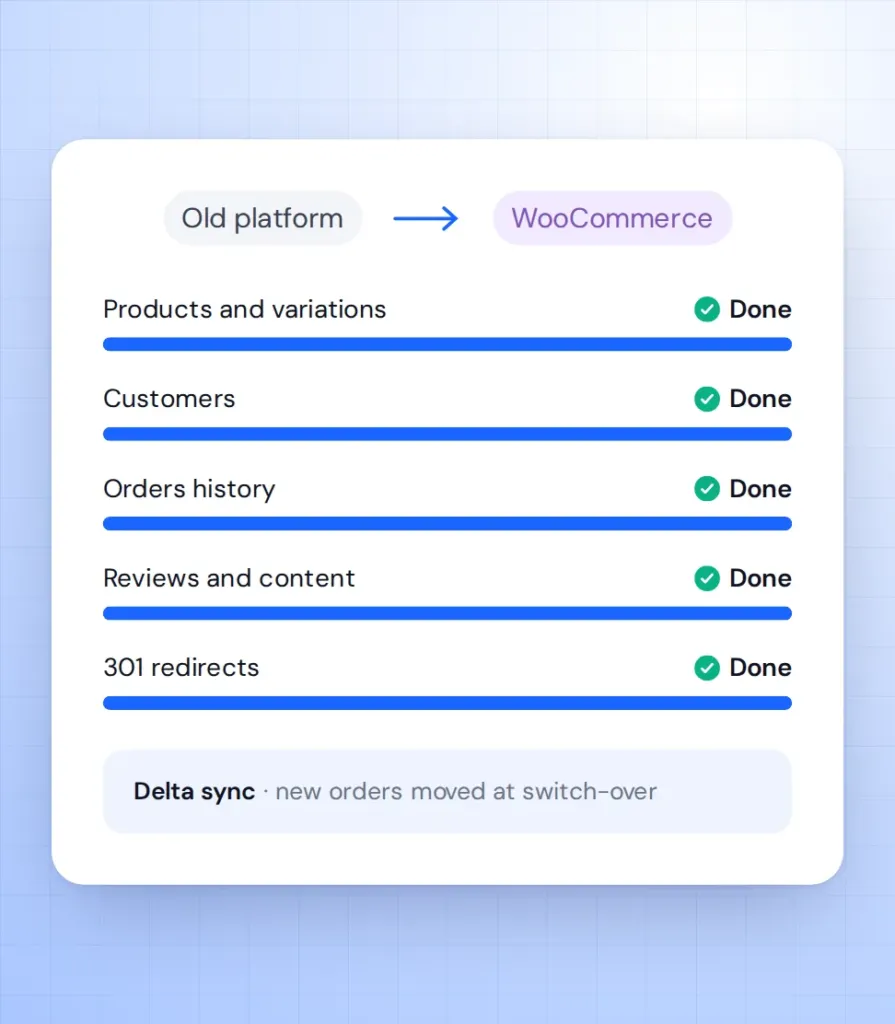
Products and combinations
Names, descriptions, SKUs, prices, stock and images. Combinations become variations and features become attributes you can filter by.
-
Categories and manufacturers
The category tree with its descriptions and images, plus manufacturers as a brand taxonomy.
-
Customers and passwords
Profiles, addresses and customer groups. Password hashes can often be carried over, so customers log in as before; otherwise they get a reset email.
-
Orders and invoices
Order history, statuses, totals and invoice numbers, so your accounting and customer accounts stay complete.
-
URLs and 301 redirects
PrestaShop URLs with IDs, such as /34-product-name.html, are mapped to clean WooCommerce URLs with 301 redirects.
-
Languages and multistore
Translations move to a multilingual WooCommerce setup, and multistore setups are planned store by store.
Learn more
Stores we've built. Results
they've driven.





PrestaShop migration pricing
Final price is fixed after a free audit of your store, before any work starts.
-
Small store
For a PrestaShop store with a simple catalogue and few modules.
from $1,500 2-4 weeks
- Up to 1,000 products
- Customers and order history
- 301 redirects for all URLs
- Categories and brands
- Password reset email if needed
-
Most popular
Growing store
For stores with combinations, customer groups and key modules.
from $3,500 4-6 weeks
- Up to 10,000 products
- Standard theme adapted to your brand
- Key modules replaced
- Customer group prices
- Weekly demos on staging
-
Large store
For large catalogues, several languages or ERP connections.
from $7,000 6-10 weeks
- 10,000+ products
- ERP or CRM integration
- Multilingual or multistore
- Custom checkout logic
- Post-launch SEO monitoring
Prices are a guide. You get a fixed quote after a free discovery call. A new custom design is priced separately (see the cost calculator).
PrestaShop vs WooCommerce
What changes when you move your store to WordPress and WooCommerce.
| PrestaShop | WooCommerce | |
|---|---|---|
| Licence | Free, open source | Free, open source |
| Extra features | Mostly paid modules | Free and paid plugins |
| Major upgrades | Often break themes and modules | Regular updates, tested on staging |
| Content and blog | Needs a module | Full WordPress CMS |
| Developer pool | Smaller | Much larger |
| Multistore | Built in | Multisite or separate stores |
| Hosting | Any PHP host | Any PHP host |
How the migration works
-
Audit
We review your PrestaShop version, modules, overrides, data and URLs, and agree a fixed scope and price. Takes 2-5 days. -
Test import
We run a full test migration to a staging site so you can check products, customers and orders. Usually done in the first week. -
Build
We rebuild the design and features in WooCommerce with custom Gutenberg blocks, with weekly demos. Takes 2-10 weeks depending on size. -
Launch
We sync new orders and customers, switch on 301 redirects and move the domain. PrestaShop stays live until DNS moves. -
Support
We watch orders, speed and Search Console in the weeks after launch. Then you can move to a monthly support plan.
What our clients say





PrestaShop migration FAQ
Short answers to what PrestaShop owners ask us before they move.
How long does a PrestaShop to WooCommerce migration take?
A small store with up to 1,000 products takes 2-4 weeks. Larger catalogues take 4-10 weeks. You get a fixed timeline after the audit.
Will I lose my Google rankings?
Not if redirects are done right. We 301-redirect every old URL, keep your meta data and watch Search Console after launch.
Can customers keep their passwords?
Often yes, depending on your PrestaShop version. If the hashes cannot be carried over, customers get a clear reset email at launch.
Does my store go offline during the move?
No. PrestaShop keeps selling while we build on staging. At launch we sync the latest orders and switch the domain within hours.
What happens to my PrestaShop modules?
We list every module and replace it with a WooCommerce plugin or custom code. Many module features are built into WooCommerce.
Can you migrate a multilingual or multistore setup?
Yes. We move translations to a multilingual WooCommerce setup and plan multistore as one store per site or a multisite network.
