



 WhatsApp
 Shopify to WooCommerce Migration





- 5.0 Rating on Clutch, 35 reviews
-
120+ Projects launched
-
90+ PageSpeed score as standard
-
Weekly Demos on a staging site
-
Fixed Scope and price before start
Where Shopify starts to cost you
-
01
Fees on every order
If you use a payment gateway other than Shopify Payments, Shopify adds its own transaction fee on top. The more you sell, the more you pay.
-
02
App bills that stack up
Bundles, advanced filters, B2B prices and subscriptions often need paid apps. Each one adds a monthly bill and more scripts on your storefront.
-
03
A checkout you cannot shape
Deep checkout changes are reserved for Shopify Plus. On other plans you work within the fields and steps Shopify allows.
-
04
Fixed URL structure
Products always sit under /products/ and categories under /collections/. You cannot change these prefixes to fit your SEO plan.
-
05
Logic you do not own
Key features live inside third-party apps. If an app changes its price or shuts down, your store changes with it.
-
06
Complex catalogs need workarounds
Configurable products, custom pricing rules and large option sets often mean stacking apps. In WooCommerce we build them directly.
What we migrate from Shopify
-
Products and variants
Titles, descriptions, SKUs, prices, stock, options and variant images. Shopify metafields become WooCommerce attributes or custom fields.
-
Collections to categories
Manual and smart collections become WooCommerce categories and tags, with product order kept where it matters.
-
Customers and orders
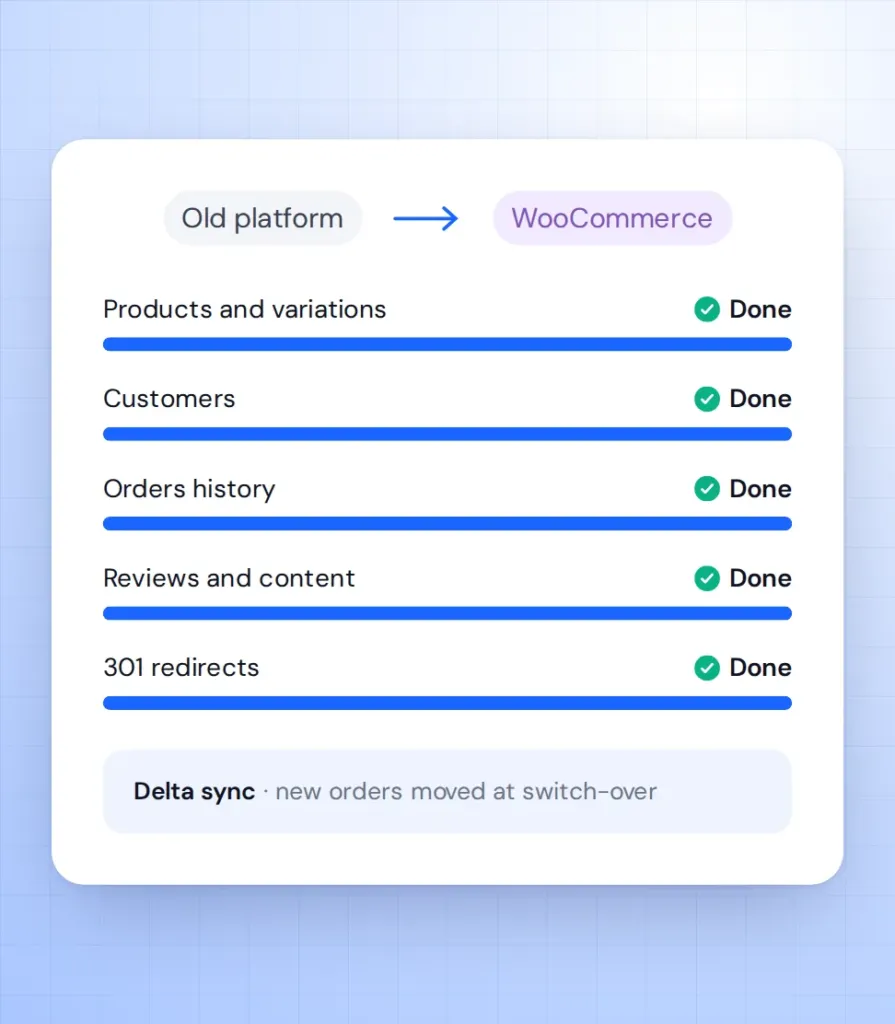
Profiles, addresses, order history and statuses. Shopify does not export passwords, so customers get a clear reset email at launch.
-
URLs and 301 redirects
Every /products/, /collections/ and /blogs/ URL is mapped to its new address with a 301 redirect, so rankings and backlinks carry over.
-
SEO data and reviews
Meta titles, descriptions, image alt text, blog posts and product reviews exported from your review app.
-
Apps replaced, not lost
We list every Shopify app you use and replace it with a plugin or custom code. See how we run every project on our migration page.
Learn more
Stores we've built. Results
they've driven.



Shopify migration pricing
Final price is fixed after a free audit of your store, before any work starts.
-
Small store
For a Shopify store with a simple catalog and a standard theme.
from $1,500 2-4 weeks
- Up to 1,000 products
- Customers and order history
- 301 redirects for all URLs
- Reviews and blog posts
- Password reset email at launch
-
Most popular
Growing store
For stores with variants, custom fields and a few key integrations.
from $3,500 4-6 weeks
- Up to 10,000 products
- Standard theme adapted to your brand
- Up to 10 apps replaced
- Metafields to custom fields
- Weekly demos on staging
-
Large store
For large catalogs, custom logic and ERP or CRM connections.
from $7,000 6-10 weeks
- 10,000+ products
- ERP or CRM integration
- Custom checkout logic
- Multi-currency or multilingual
- Post-launch SEO monitoring
Prices are a guide. You get a fixed quote after a free discovery call. A new custom design is priced separately (see the cost calculator).
Shopify vs WooCommerce
What changes when you own your store instead of renting it.
| Shopify | WooCommerce | |
|---|---|---|
| Transaction fees | Extra fee without Shopify Payments | None from the platform |
| Monthly cost | Plan fee plus paid apps | Hosting plus chosen plugins |
| Checkout changes | Full control on Plus only | Full control on any budget |
| URL structure | Fixed /products/ and /collections/ | Fully configurable |
| Code access | Theme files only | Full access |
| Hosting | Shopify servers only | Any host you choose |
| Content and blog | Basic blog | Full WordPress CMS |
| Getting started | Very quick, no developer | Needs a developer to set up |
How the migration works
-
Audit
We review your Shopify data, apps and URLs, including every installed app, and agree a fixed scope and price. Takes 2-5 days. -
Test import
We run a full test migration to a staging site so you can check products, customers and orders. Usually done in the first week. -
Build
We rebuild the design and features in WooCommerce with custom Gutenberg blocks, with weekly demos. Takes 1-8 weeks depending on size. -
Launch
We sync new orders and customers, switch on 301 redirects and move the domain. Shopify stays live until DNS moves, so no orders are lost. -
Support
We watch orders, speed and Search Console in the weeks after launch. Then you can move to a monthly support plan.
What our clients say





Read before you decide
Practical guides from our team. Useful even if you never hire us.
-
Shopify to WooCommerce Migration: Cost, Timeline and Keeping Your SEO
Real costs of moving from Shopify to WooCommerce, from $59 tools to managed projects, plus a URL-by-URL redirect plan so you keep your rankings.
Read the guide -
WooCommerce vs Shopify for B2B: An Honest Comparison From a Woo Agency
Shopify Plus has the most complete B2B out of the box. WooCommerce wins on pricing logic, ownership and cost. A fair comparison with a feature table.
Read the guide
Shopify migration FAQ
Short answers to what Shopify owners ask us before they move.
How long does a Shopify to WooCommerce migration take?
A small store with up to 1,000 products takes 2-4 weeks. Larger catalogues take 4-10 weeks. You get a fixed timeline after the audit.
Can customer passwords be moved from Shopify?
No. Shopify does not export password hashes, so nobody can move them. We send a clear reset email at launch and customers set a new password in a minute.
Will I lose my Google rankings?
Not if redirects are done right. We 301-redirect every old URL, keep your meta data and watch Search Console after launch.
Does my store go offline during the move?
No. Shopify keeps selling while we build on staging. At launch we sync the latest orders and switch the domain within hours.
What happens to my Shopify apps?
We replace each app with a WooCommerce plugin or custom code. Many app features are built into WooCommerce or need a one-time build instead of a subscription.
Can you keep my current design?
Yes. We can rebuild your current look as a custom WooCommerce theme or redesign it. Either way, your team edits pages with Gutenberg blocks.
