



 WhatsApp
 WooCommerce Speed Optimization





- 5.0 Rating on Clutch, 35 reviews
-
120+ Projects launched
-
90+ PageSpeed score as standard
-
Weekly Demos on a staging site
-
Fixed Scope and price before start
Why WooCommerce stores get slow
-
01
Too many plugins
Each plugin can add scripts, styles and database queries to every page, even where it is not used.
-
02
Heavy themes and page builders
Multipurpose themes and builders load large CSS and JS bundles for features you never use.
-
03
Uncached cart requests
Cart fragments, live search and other AJAX calls hit the server on page views and skip the page cache.
-
04
A bloated database
Autoloaded options, old transients, sessions and huge postmeta tables make every query slower.
-
05
Oversized images
Full-size product photos without modern formats or proper sizes for mobile screens.
-
06
Hosting that cannot cope
No object cache, an old PHP version and weak CPU slow down search, cart and checkout, which cannot be page cached.
How we make a store fast
-
Measure
We test key templates on mobile and desktop and read real-user data from the Chrome UX Report. 2-3 days. -
Diagnose
Plugin profiling, database checks and request waterfalls show what really costs time. 2-3 days. -
Fix
Changes go to staging in order of impact, with scores checked after each round. 1-3 weeks. -
Verify
QA tests cart, checkout, accounts and payments, so no speed fix breaks a sale. -
Monitor
Google's field data updates over several weeks, so we check Core Web Vitals again after release.
Speed packages
Start with an audit, or go straight to fixes if you already know the store is slow.
-
Speed audit
For owners who want a clear diagnosis and fix list before they commit.
from $500 About 1 week
- Scores per key template
- Plugin and theme impact report
- Database and hosting review
- Fix list ranked by impact and effort
-
Most popular
Optimization
For stores that need scores and real-user speed fixed now.
from $2,000 2-4 weeks
- Audit included
- All fixes made on staging first
- Target PageSpeed 90+ on key templates
- Caching and CDN setup
- Before and after report
- No downtime during release
-
Ongoing speed care
For stores that add content, plugins and campaigns every month.
from $400/month Monthly
- Monthly Core Web Vitals checks
- Plugin impact check before install
- Image and database cleanup
- Fixes when scores drop
Prices are a guide. You get a fixed quote after a free discovery call.
What we optimize
-
Core Web Vitals
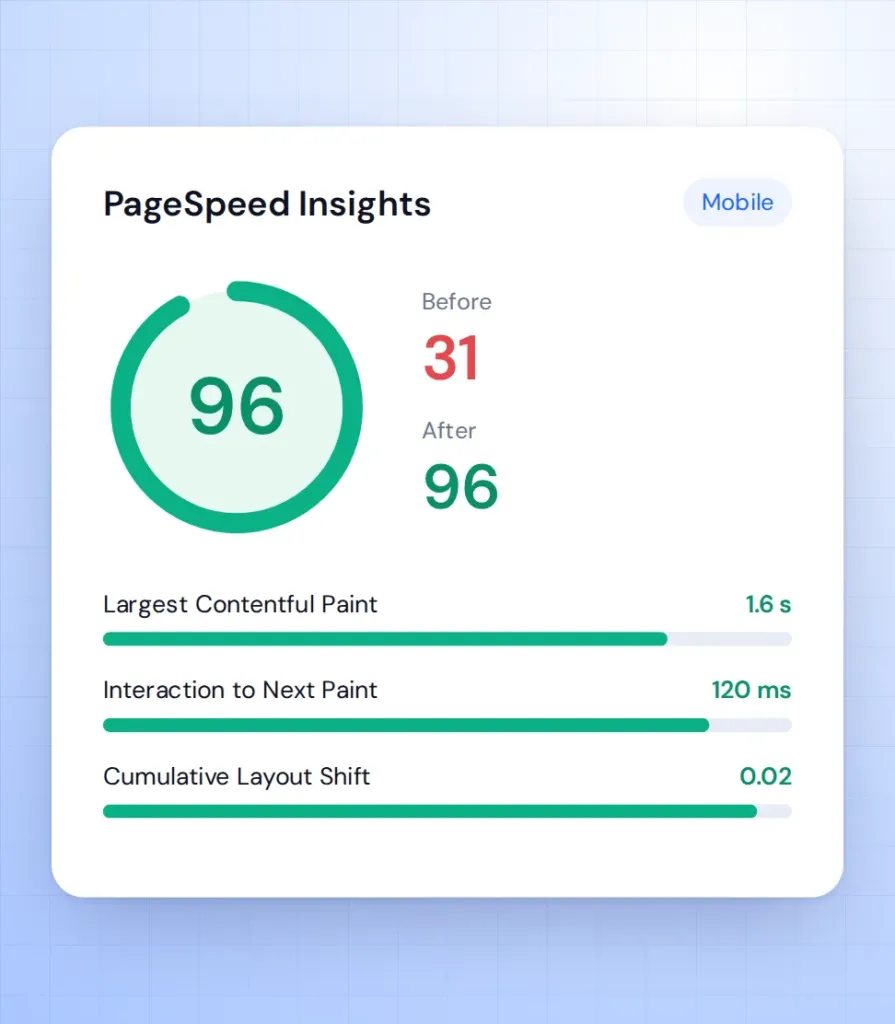
LCP, INP and CLS fixed on home, category, product and checkout templates, the pages that earn money.
-
Front-end code
Unused CSS and JS removed, scripts deferred, plugin assets loaded only where needed and fonts fixed.
-
Database and queries
Autoload and transient cleanup, HPOS for orders, and slow queries found with Query Monitor and fixed.
-
Caching setup
Page cache with correct cart and checkout exclusions, plus Redis object cache for dynamic and logged-in pages.
-
Images and media
WebP or AVIF, correct sizes, lazy loading below the fold and a CDN for static files.
-
Hosting and server
PHP version, OPcache and server limits reviewed, with a clear answer on whether you should move host.
Slow checkout and admin on large stores
PageSpeed is only half the story. Big stores lose money in checkout and in the back office.
-
Checkout that lags
We profile the cart and checkout requests, remove slow fees and shipping calls, and keep checkout out of the page cache the right way.
-
Admin that crawls
Order lists, search and reports slow down on large order tables. Moving to HPOS and fixing heavy queries brings the back office back to normal.
HPOS upgrade -
Background jobs piling up
We clean the Action Scheduler queue, fix failing jobs and move heavy imports and syncs off peak hours.
Stores we've built. Results
they've driven.






What our clients say





Why Artilab for WooCommerce speed

90+ is our standard

Proven on big catalogs

Code fixes, not only plugins

Checkout stays safe
Speed FAQ
What to expect from a speed project.
What does WooCommerce speed optimization include?
An audit of templates, plugins, database and hosting, then fixes in code and server setup, tested on staging. The goal is PageSpeed 90+ and passing Core Web Vitals on key pages.
Can you guarantee PageSpeed 90+?
On stores we build, 90+ is standard. On existing stores it depends on the theme, plugins and hosting, and the audit tells you honestly what score is realistic.
Will a caching plugin fix my speed?
It helps guests on cached pages, but cart, checkout and logged-in pages are not cached. Real gains come from lighter code, fewer queries and object caching.
Do I need to change hosting?
Not always. We recommend a move only when the server is the bottleneck, for example no object cache, an old PHP version or too little CPU.
Does store speed affect SEO and sales?
Yes. Core Web Vitals are part of Google's page experience signals, and faster product pages make it easier for buyers to finish an order.
How long does optimization take?
An audit takes about 1 week, and most optimization projects take 2-4 weeks, depending on how much code needs to change.
